Typing Culture
The Shakira Computer Meme: A Typist Analyzes the Viral Keyboard Pose
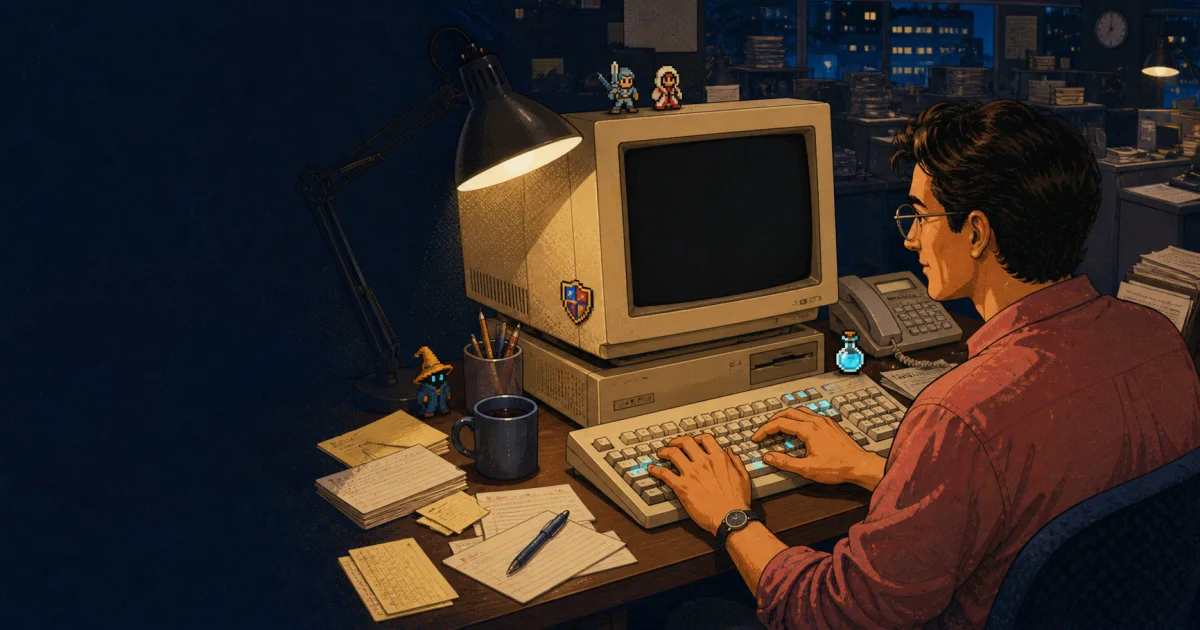
The Shakira computer meme began with a 1997 newsroom photograph: the singer sits at a desktop keyboard, apparently working, while the monitor is dark. In August 2026, her recreation returned the image to social feeds and gave the internet another round of jokes about looking productive.
The typist's verdict: the powered-off screen is funny, but one posed frame cannot tell us whether anybody is a fast, accurate, touch, hybrid, or hunt-and-peck typist. It can tell us something more useful: photography captures a fraction of a second, while typing skill is a pattern measured across time.
The short version of the meme's history
Multiple accounts place the original photograph in June 1997 at the newsroom of El Heraldo in Barranquilla, Colombia. They identify photojournalist Oscar Berrocal as the photographer. Shakira was seated at a desktop workstation during a visit to the newspaper, and the resulting frame later became memorable because the computer monitor appeared to be switched off.
That detail changed how later viewers read the image. A normal promotional or editorial pose became a compact visual joke: a person looks busy at a machine that is visibly not ready for work. The photograph circulated as a reaction image and invited captions about pretending to work, technical confusion, and workplace performance.
In August 2026, Shakira revisited the familiar pose in a new social post. Current coverage from Know Your Meme and LOS40 documents the renewed attention. Reports do not describe every historical detail in exactly the same way, including the specific promotional context of the newspaper visit, so we are not treating those disputed details as established facts. The stable points across the accounts are the year, newsroom, photographer, dark monitor, and the image's later life as a meme.
Why the dark monitor makes the photograph work
A meme needs a gap that viewers can fill. Here, the gap sits between the action and the evidence: the hands say “computer work,” while the screen says “nothing is happening.” That contradiction is legible almost instantly, even to someone who has never seen the picture before.
The joke also survived changes in technology. A beige desktop computer now signals a particular era, but the social situation remains familiar. Video calls, staged office photos, productivity dashboards, and “working hard” posts can all show the appearance of work without showing the work itself. The photograph became reusable because the dark screen makes that difference visible.
None of this means the original subject was trying to deceive anybody. Editorial photographs are routinely staged, screens are difficult to expose cleanly, and a powered display can create reflections or distracting content. The meme is a later interpretation of a photographed moment, not proof about the intent of the person pictured.
A dark monitor also does not prove that the whole computer was disconnected, broken, or unavailable. We can describe what the published frame appears to show, but not reconstruct every device state outside the frame. That distinction matters because online captions often harden an amusing visual inference into a confident technical claim. The responsible version of the joke stays close to the observable detail: the display looks dark while the subject is posed at the keyboard. Anything beyond that needs reporting from people who were present, not a diagnosis supplied decades later by pixels.
Can a typing expert judge technique from one photograph?
Not reliably. A still image can show approximate hand location, wrist position, chair height, keyboard angle, or whether someone appears to be looking toward the keys. It cannot show the behaviors that make a typing method effective over a complete passage.
| A still may suggest | A still cannot establish | How to measure it |
|---|---|---|
| Where the hands were for one instant | Which fingers normally press each key | Observe a complete passage or use zone drills |
| Whether the eyes face the keyboard or screen | How often the typist looks down | Record a session or repeat controlled trials |
| A possible wrist or shoulder position | Comfort, fatigue, or injury risk over time | Assess sustained posture and reported comfort |
| A keyboard and workstation layout | WPM, accuracy, consistency, or weak keys | Run repeated, comparable typing tests |
This is why our guide to typing metrics beyond WPM uses multiple signals. Correct WPM, accuracy, repeated error keys, and consistency across runs reveal more than a pose or one unusually good score.
The useful typing lesson hidden inside the joke
The screen needs to be on, but staring at it is not the same as controlling the keyboard. Skilled typing reduces the amount of visual attention needed to locate keys, leaving more attention available for reading, editing, and deciding what to write. That is the practical value behind learning to type without constantly checking your hands.
It does not require a textbook-perfect ten-finger pose. Research and real-world observation include effective hybrid typists as well as conventional touch typists. The better question is whether your current method causes repeated errors, forces frequent visual checking, or breaks down during longer work. Our touch typing versus hybrid typing guide explains how to make that decision without judging a method by appearance alone.
If you are unsure, establish a repeatable typing baseline before changing technique. Use the same device, duration, and passage difficulty. Then compare multiple runs, not a single peak. A measurable problem deserves targeted practice; an unconventional-looking hand position does not automatically need to be “fixed.”
Try the 1997 newsroom typing challenge
We wrote the passage below specifically for this article. It does not quote a song, caption, news report, or source photograph. Its mix of common words, punctuation, and newsroom vocabulary makes it a compact accuracy check rather than a celebrity-text transcription exercise.
The newsroom settled into its evening rhythm. Keys clicked, desk phones rang, and a dark monitor waited for someone to find the power switch. A reporter checked every name, date, and comma before the final page left the desk. Speed helped, but accuracy kept tomorrow's correction box empty.
- Turn your monitor on. The historical joke only needs one powered-off screen.
- Read the complete passage once before starting.
- Type it at a controlled pace without copying and pasting.
- Record completion time, accuracy, backspaces, and the keys behind repeated errors.
- Rest for one minute, repeat twice, and compare the median result.
If you want a standardized result instead of timing this short passage manually, take the typing speed test under the same conditions. If errors cluster around a few letters, switch to weak-key practice rather than repeating full tests indefinitely.
What counts as a good result?
The useful result is not the number that looks best in a screenshot. It is the pace you can reproduce while keeping the text clean. Start by checking accuracy. A fast run that requires many corrections may produce less usable text than a slightly slower run with a stable rhythm.
Next, compare the spread between attempts. If one run is dramatically faster than the others, the peak may reflect favorable word order or a brief sprint. If all three attempts sit close together, the result is more representative of your current control. Finally, inspect where mistakes happened. Repeated errors on the same key are more actionable than a vague decision to “type faster.”
Newer typists can use the learn-to-type path to build mapping and rhythm. Experienced typists who lose control when pushing speed should use accuracy practice before adding pressure.
What this article does not prove
- It does not assess Shakira's real typing ability or normal typing method.
- It does not establish why the original monitor was off or how the photograph was directed.
- It does not claim that a conventional touch-typing pose is the only effective technique.
- It does not treat social-media popularity as evidence about ergonomics or performance.
- It does not reproduce, license, or authenticate either celebrity image.
It is an evidence boundary worth keeping: we can document the reported history, explain why the image works as a meme, and describe how typing should actually be measured. We cannot turn a staged fraction of a second into a diagnosis of the person at the keyboard.
Monitor on. Battle ready.
Turn the meme into a measurable typing run
Start from the homepage quick-start flow, play a short battle, and use the result, not a pose, to judge your speed, accuracy, and control.
Start a quick typing battleSources and reporting notes
Accessed August 8, 2026. These sources support the article's historical and current-event claims; our typing analysis and challenge are original editorial material.
- Know Your Meme: Shakira computer meme coverage — Current coverage of the August 2026 recreation and the history attributed to the 1997 newsroom photograph.
- LOS40: Shakira recreates the meme in 2026 — Contemporary reporting on the recreation and its connection to the earlier El Heraldo visit.
- El Tiempo: history of the powered-off-computer photo — Background reporting identifying photographer Oscar Berrocal, June 1997, and the El Heraldo newsroom in Barranquilla.
- Noticias Caracol: interview with photographer Oscar Berrocal — A 2026 account of how the newsroom photograph was made and later acquired a life online.